
Request your data export
1
Open Account Settings
Log in to YourSitee, then select your profile picture to open Account Settings.
2
Find Manage Account
Scroll to the Manage Account section.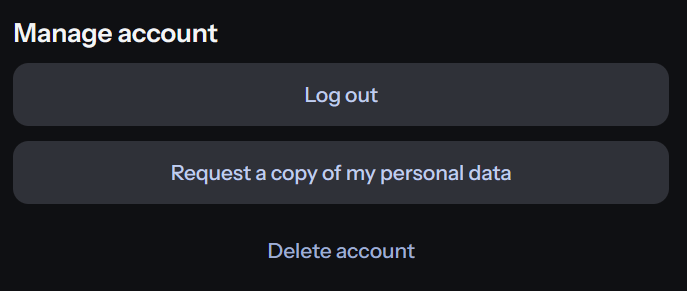
3
Download your data
Select Request a copy of my personal data. A JSON file containing your available account data will be downloaded to your device.
About the downloaded file
Your data is provided as a JSON file, a structured text format commonly used for data exports. You can open it with a text editor or another application that supports JSON files. For privacy-related questions or GDPR requests, contact dpo@yoursitee.com.Related articles
Deleting your account
Learn how to permanently delete your YourSitee account and associated data.
Keeping your account secure
Review recommended steps for protecting your account and personal information.