
Before deleting your account
You may want to export your account data before continuing. Once deletion begins:- You will lose access to your account
- Your public Sitee will no longer be available
- Your content and account settings will be scheduled for deletion
- The account cannot be recovered after the deletion period ends
Delete your account
1
Open Account Settings
Log in to YourSitee, then select your profile picture to open Account Settings.
2
Find Manage Account
Scroll to the Manage Account section.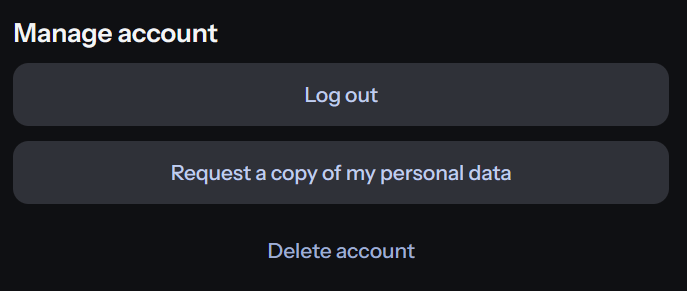
3
Select Delete Account
Select Delete Account and review the warning shown on screen.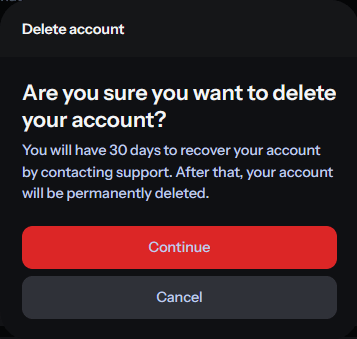
4
Confirm the deletion
Select Continue to submit your account deletion request.
What happens after deletion begins
Your account and public Sitee become unavailable, and permanent deletion of the associated server-side data is completed within 30 days. If you change your mind during this period, contact support@yoursitee.com as soon as possible. After the deletion period ends, your account and deleted content cannot be restored.Data that may be retained
For security and abuse prevention, YourSitee may retain a cryptographic hash of your username and email address after deletion.A cryptographic hash is not a readable copy of your information. It cannot be reversed to recover your original username or email address and is retained only for security purposes.
Related articles
Exporting account data
Download a copy of your available account information before deleting your account.
Privacy Policy
Learn how YourSitee processes, stores, protects, and deletes personal data.