> ## Documentation Index
> Fetch the complete documentation index at: https://help.yoursit.ee/llms.txt
> Use this file to discover all available pages before exploring further.
# How to change your password
You can change your password from **Account Settings** while logged in to YourSitee.
**Never share your password with anyone.** YourSitee staff will never ask you to send or reveal it.
## Change your password
Open [your Sitee editor](https://yoursit.ee/dashboard/login), then select your avatar to open **Account Settings**.
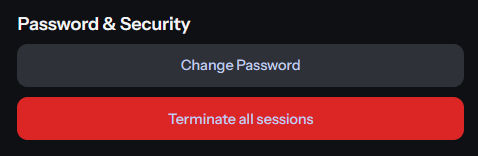
Find the **Password & Security** section and select **Change Password**.
 Enter your current password, then type and confirm your new password.
Select **Change** to update your password.
**Use a strong, unique password.** A password manager can help you create and store passwords securely. We like [Proton Pass](https://proton.me/pass) and [Bitwarden](https://bitwarden.com) best! *Don't worry - not sponsored, haha*.
## If you forgot your current password
Use the password reset option from the [YourSitee login](https://yoursit.ee/dashboard/login) page instead of the Account Settings flow. Make sure you have and maintain access to the email address connected to your account.
## Related articles
Learn how to protect your YourSitee account and recognize suspicious activity.
Update the email address connected to your YourSitee account.
Enter your current password, then type and confirm your new password.
Select **Change** to update your password.
**Use a strong, unique password.** A password manager can help you create and store passwords securely. We like [Proton Pass](https://proton.me/pass) and [Bitwarden](https://bitwarden.com) best! *Don't worry - not sponsored, haha*.
## If you forgot your current password
Use the password reset option from the [YourSitee login](https://yoursit.ee/dashboard/login) page instead of the Account Settings flow. Make sure you have and maintain access to the email address connected to your account.
## Related articles
Learn how to protect your YourSitee account and recognize suspicious activity.
Update the email address connected to your YourSitee account.